


Alibaba.com - B2B marketplace
4.453.45K Reviews
App Specs
- Version
- 26.29.0
- Updated On
- License
- Free
- Downloads
- 500,000,000+
- Developer
- Alibaba Mobile
- Categories
- Shopping
- Platform
- Android, iOS
Screenshots
 Analysis by AppCompare
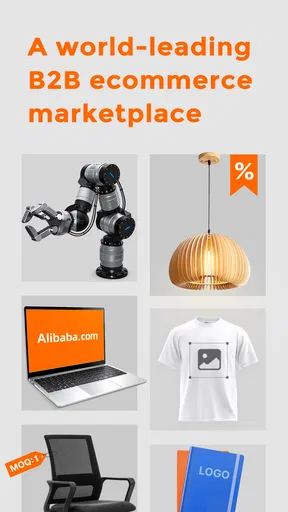
When I first opened Alibaba.com, I had to reset my idea of what a shopping app is for. This is not mainly a place to grab one item for tonight; it is a business marketplace where a shop owner, maker, or purchasing team can explore suppliers and consider buying in quantity. If that sounds useful, the app can make a broad search feel manageable. If you only want a single everyday product delivered quickly, a regular retail app is usually the more natural fit.
I’d approach it as a research and contact tool before treating it as a checkout shortcut. Product listings can help you discover possible suppliers, but a promising photo is only the start of a buying decision. You still need to check the listing carefully, ask about the details that matter to your order, and decide whether the supplier’s terms work for your business. That extra work is not a flaw in the idea of a B2B marketplace; it is part of using one sensibly.
What to expect from a business marketplace
The app is a free shopping app from Alibaba Mobile, built around sourcing rather than ordinary consumer browsing. It has been available since October 17, 2012, and its current version is 25.20.1 for Android devices running version 5.0 or later. Its Teen age rating is worth keeping in mind if you are choosing apps for a younger user, though the practical audience here is people researching business purchases.
Guides and Analysis on Alibaba.com - B2B marketplace
Its reach is considerable: Alibaba.com has over 500 million installs, with an average rating of 4.4 from around 3 million ratings and about 52,000 written reviews. Those figures suggest a widely used marketplace, but they are not a substitute for checking a particular product or supplier. I would treat the app’s scale as a reason there may be plenty to explore, not as proof that every listing will suit your needs.
On a first visit, the product range can feel exciting and slightly overwhelming at the same time. I find it helps to begin with a concrete buying question rather than browse without a plan: What kind of item am I sourcing, what must it do, and what quantity could make sense? That small bit of preparation gives search results a purpose and makes it easier to spot listings that are merely visually appealing.
Set up with a clear sourcing brief
Before searching, I’d jot down the essentials in plain language: the product type, the features that are non-negotiable, the quantity you might need, and any questions about packaging or customization. You do not need a polished procurement document. Even a short note on your phone helps keep supplier conversations focused and makes it less likely that you will compare offers that are not actually equivalent.
As you explore, use the available filters to narrow results by supplier, price, and minimum order quantity. The minimum quantity is especially important for a first-time buyer. A low-looking unit price can be less useful if the order size is larger than your business can sensibly store or sell, while a higher quote may be more practical for testing demand. I would compare the total commitment, not just the most eye-catching number on a listing.
Worth Reading Before You Choose

QuizzLand Review: A Good Fit for Short Trivia Breaks, Not Every Player

Basketball Stars: Multiplayer Is Fast, but Can It Recover When Matches Go Wrong?

WEBTOON Turns Phone Updates Into a Better Reading Routine

Link to Windows Runs on Shared Habits, Not Social Feeds

Metro's Quiet Rise: Redefining Mobile Communication

Harnessing Ecosystem Power with Phone Tracker by Number
It also pays to read product descriptions as a checklist rather than skim them as advertising. Match the stated material, dimensions, options, and other relevant details to your brief. If a point that could affect your decision is unclear, make it a question for the supplier instead of filling in the gap yourself. That habit is a simple way to avoid treating assumptions as promises.
Turn browsing into a useful first action
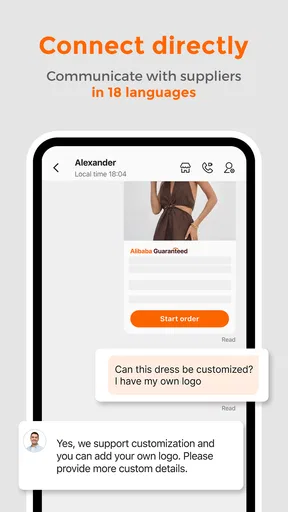
A good first success does not have to be placing an order. For me, it is finding a plausible product, narrowing the choices to a manageable shortlist, and sending one clear message that helps establish whether a supplier can meet the brief. The app’s real-time chat is useful here: I can ask focused questions about the product or order instead of trying to make a decision from images alone.
For example, imagine you run a small shop and want to investigate branded reusable bags for a seasonal display. Search for the kind of bag you have in mind, compare listings against the intended quantity, then message a few suitable suppliers with the same practical questions about material, available customization, and order requirements. Keeping those questions consistent makes replies easier to compare. It is a more useful first session than sending a vague “best price?” message to every result.
When a reply arrives, I’d look for whether it answers the actual questions and whether the terms are clear enough to compare. If a detail remains uncertain, ask a follow-up before moving forward. This takes a little patience, but it turns chat into a sourcing conversation rather than a quick exchange that leaves important decisions unresolved.
A World of Products at Your Fingertips
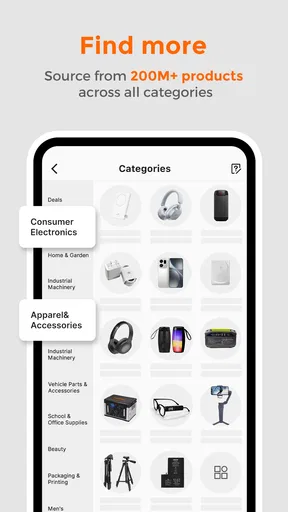
One of the first things that blew me away about Alibaba.com is the sheer variety of products available. Imagine scrolling through an endless catalog that includes everything from electronics to fashion, and even industrial machinery. The app’s interface is quite user-friendly, making it easy to navigate through different categories and find what you're looking for without breaking a sweat.
The search function is top-notch, allowing you to filter results by supplier, price, and even minimum order quantity. This makes it super easy to narrow down your options and find the best deals out there. Plus, if you're looking to get a bit more personal, the app offers a real-time chat feature with suppliers. This is great for negotiating prices or asking specific questions about a product.
Seamless Transactions and Secure Purchases
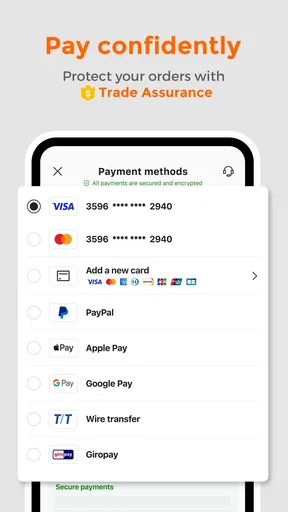
Now, let’s talk about transactions. One of my biggest concerns when dealing with international suppliers is safety. Thankfully, Alibaba.com has put those worries to rest. The app provides a secure payment system that protects both buyers and sellers. It’s like having a financial bodyguard while you shop!
Alibaba's Trade Assurance service is another feature worth mentioning. It ensures that your orders are protected, providing peace of mind that your purchase will be shipped on time and meet the quality standards you expect. If anything goes wrong, you can get your money back. Simple as that.
Networking and Opportunities
A hidden gem of the Alibaba.com app is the networking opportunities it offers. You can connect with suppliers from all over the world, opening doors to new business partnerships. It’s like attending a global trade fair right from your smartphone. How cool is that?
The app also keeps you updated with industry news and trends, helping you stay ahead of the curve. Whether you're new to the game or a seasoned pro, this feature is invaluable for making informed decisions about your business strategies.
In summary, Alibaba.com is more than just a marketplace app. It's a comprehensive platform that empowers businesses to grow by providing access to a vast array of products, secure transaction methods, and networking opportunities. So, if you're ready to take your business to the next level, this app might just be the key to unlocking your potential. Happy shopping!
Where it fits—and where it does not
The clearest difference between Alibaba.com and a familiar consumer marketplace is the job each one is meant to do. Retail apps are generally more convenient when you already know the exact item you want in a small quantity. Here, the value is in comparing business-oriented listings and opening a conversation with a supplier. That makes it a better starting point for a retailer testing a new product line, a maker looking for components, or a small company exploring packaging options than for someone replacing a household item.
It is also not a magic shortcut around purchasing work. A marketplace can put suppliers within reach, but you still have to decide whether a listing matches your requirements and whether the order makes commercial sense. I would skip it if I needed a guaranteed quick retail purchase, had no use for a larger order, or did not have time to clarify specifications. In those situations, buying from a local retailer or a conventional online shop may be simpler, even if the selection is narrower.
Use chat to compare like with like
One practical habit makes supplier discussions much more useful: send the same compact set of questions to each serious candidate. Ask about the exact product configuration you want, the minimum order quantity, what is included, and any detail that would change how you sell or use it. This is not about turning every conversation into a formal audit; it is about making sure one supplier is not quoting a different version of the product from another.
Keep the answers organized outside the chat as well. A simple note with the supplier name, listing, quoted terms, unanswered questions, and next action is enough for an early comparison. This is particularly helpful if you open several conversations over a few days. It prevents a common first-timer mistake: remembering the attractive price but forgetting which configuration or quantity it applied to.
Another useful trade-off is between breadth and confidence. A long list of possible products can help when you are still exploring, but it can also make it harder to decide what is genuinely comparable. I would narrow the search using the few requirements that matter most, then widen it only if the shortlist fails to meet them. More results are not automatically better when each one needs careful checking.
Read transaction protections as terms, not a guarantee
The original appeal of a protected payment option is understandable, especially when buying across borders. Still, I would read the conditions associated with any protection carefully and keep the order details and supplier communication clear. A protection service is a useful part of a buying process, not a reason to skip basic checks or assume every disagreement will resolve in the same way.
Before paying, make sure the product description, agreed configuration, order quantity, and delivery expectations are aligned with what you discussed. If you are considering Trade Assurance, understand what the service covers for that transaction and how its process applies. I would not rely on a broad impression of “protected” in place of checking the terms tied to the specific purchase.
For a first order, it can be sensible to treat the purchase as a learning step rather than immediately committing to a large, complex sourcing plan. The right scale depends on your business and the supplier’s terms, so there is no universal quantity that makes sense. The key is to avoid letting a low unit price alone dictate an order you cannot comfortably evaluate, store, or sell.
Questions worth answering before you commit
Is Alibaba.com only useful if I already own a business? In practice, it is designed for business sourcing, but someone researching a possible venture can still use it to understand what kinds of products and suppliers are available. I would treat that exploration as research, not as evidence that a business idea will work. Check demand, costs, and the effort involved before turning an interesting listing into a plan.
Can I trust the photos to show exactly what will arrive? I would not make that assumption. Images help identify a product, but important details should be confirmed in writing with the supplier. Ask about the particular features that matter to you and compare the answer with the listing. If the response does not resolve a key uncertainty, pause rather than guessing.
Do I need to place an order to get value from the app? No. Searching, comparing minimum quantities, and asking questions can already tell you whether a product is worth pursuing. For a new buyer, that may be the most valuable outcome of the first session: learning that a product is feasible, or discovering early that the requirements do not line up with the available offers.
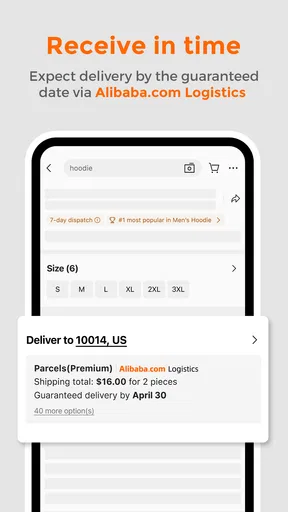
Is it suitable for urgent purchases? I would not choose a supplier marketplace as my first option when timing is fixed and there is no room to clarify terms. Contacting suppliers and evaluating an order takes attention, and delivery expectations need to be discussed for the particular purchase. If immediate availability matters more than sourcing choice, a nearby seller or standard retail service is likely a better fit.
A measured next step for a new buyer
Once you have a shortlist and useful replies, the next move is to compare the whole proposal rather than simply pick the lowest figure. Consider whether the product matches your brief, whether the minimum quantity is manageable, whether the supplier has answered your questions, and whether the transaction terms are clear. If any of those points remain unsettled, another message is more valuable than rushing to checkout.
Alibaba.com is most rewarding when I use it with a specific purpose and a little patience. Its large catalog, supplier search, and chat can help turn an idea into a practical sourcing conversation, while the business focus means buyers must do their own careful comparison. I would recommend it to people who are ready to research products and communicate with suppliers; I would point casual, one-off shoppers elsewhere. Start with one clear requirement, ask questions that make offers comparable, and let the answers—not the excitement of browsing—decide whether to take the next step.
Pros
- Extensive product variety available.
- Global supplier access for businesses.
- User-friendly interface simplifies navigation.
- Secure payment options enhance safety.
- Regular updates improve functionality.
Cons
- Occasional delays in product delivery.
- Language barriers with some suppliers.
- Quality assurance varies by supplier.
- High shipping costs for some items.
- Response time may be slow from sellers.
FAQs for Alibaba.com - B2B marketplace
What is Alibaba.com and who can use it?
Alibaba.com is a leading B2B marketplace that connects buyers and suppliers from around the world. It caters to businesses of all sizes, offering a vast range of products across numerous categories. Whether you are a small business owner looking for inventory or a manufacturer seeking raw materials, Alibaba.com provides the necessary tools to facilitate international trade.
Is Alibaba.com safe and secure for transactions?
Yes, Alibaba.com has implemented several safety measures to ensure secure transactions. They offer Trade Assurance, which protects your orders and payments. Additionally, the platform provides secure payment options and supplier verification processes to minimize risks. However, users should still conduct their own due diligence when dealing with suppliers.
How do I find reliable suppliers on Alibaba.com?
To find reliable suppliers, use Alibaba.com's filtering options to focus on verified suppliers and those with high ratings. Look for 'Gold Suppliers' and 'Assessed Suppliers,' as these have passed verification checks. Reading reviews and checking transaction histories can also provide insights into a supplier's reputation and reliability.
What are the costs associated with using Alibaba.com?
Alibaba.com itself is free to use for browsing and contacting suppliers. However, costs arise when you make purchases, including product prices, shipping fees, and potential import duties. Businesses should also consider currency exchange rates and payment processing fees when calculating total costs.
Can I use Alibaba.com on mobile devices?
Yes, Alibaba.com offers a mobile app available for both Android and iOS. The app provides a user-friendly interface for browsing products, communicating with suppliers, and managing orders on the go. It retains most of the functionalities found on the desktop version, making it convenient for users to conduct business anytime, anywhere.


